
Rack mount monitors and rack mount PCs
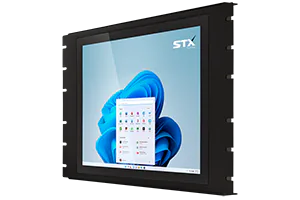
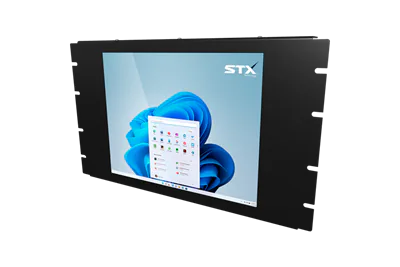
Touch PCs and monitors for a standard 19" rack (the X5400, 12.1" to 18.5", 4 to 8 RU) and industrial PCs with no screen (the XC5400 at 1U and the XC2000 on a VESA 100 mount). The HMI terminals are on the HMI page.
Compare the ranges
| Range | Sizes | Material | Enclosure | Touch | Types | Brightness option | Mounting |
|---|---|---|---|---|---|---|---|
| X5400 | 12.1" to 18.5" (5 sizes) | Carbon steel, powder coated; brushed, electro-polished or matte black options | 19" rack (EIA-310), 4 to 8 RU, cage nuts | Resistive or PCAP | Panel PC · Touch monitor · KVM monitor | 1000 nits | 19" rack, cage nuts; cables exit from the bottom |
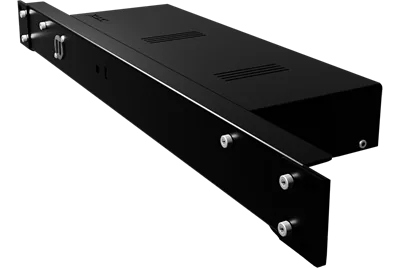
| XC5400 | No screen | Matte black powder coat | 1U, 19" rack (EIA-310) | — | Fanless (L) or active cooling (F) | — | 1U, 19" rack, cage nuts |
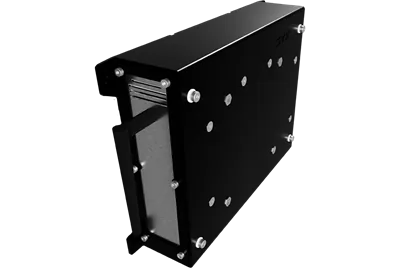
| XC2000 | No screen | Aluminum, powder coated | Compact; no rating stated | — | Fanless (L) or active cooling (F) | — | VESA 100 |
From the range data on each product page (2026-11-07). The X5400, XC5400 and XC2000: Intel Core i5-1135G7 (standard), Core i7-1165G7 or Celeron 6305U (ARM RK3588S on the X5400), 8 GB RAM, 128 GB industrial SSD, 4 × USB 3.0, 2 × Ethernet 1000 Mbps, HDMI, mini DisplayPort, TPM 2.0, 10–30 V DC standard.
Choosing a rack mount or industrial PC
How much rack space does it take?
The X5400 touch PC and monitor take 4 to 8 RU of a 19" rack (EIA-310) depending on the screen size, fixed with a standard cage nut system, with the cables leaving from the bottom. The XC5400 is 1U with no screen.
Can the screen be away from the computer?
Yes. The X5400 comes as a touch monitor for a computer nearby, or as a KVM monitor that takes video and touch from its computer up to 100 m away over one CAT6 cable. The XC5400 and XC2000 have no screen and drive any monitor over HDMI or mini DisplayPort.
Which one for a thin client HMI?
Every G5 range boots from the network (PXE) as standard, so the X5400, XC5400 and XC2000 and the panel PCs run a client-server HMI from your server. The thin client page describes the TFTP download of firmware and configuration and the M12 connector option.
Which one for your rack?
Tell us the rack space, the software and whether the screen sits with the computer. A technical person comes back with the size and options that suit. Short lead times. The quote states the date, and we work with you on timing.
Rack mount monitors and PCs in North America
Talk to our North American team: call Lake Forest, CA on +1 (949) 430-0552, or the number nearest you.
A local case study: to supply. Lead time: Short lead times. The quote states the date, and we work with you on timing.
Talk to our North American team.
Tell us where it has to work and what it has to do, for a quick reply.
STX Technology worldwide
Talk to our North American team, with STX Technology in New Zealand, Australia, the UK and North America.